Hexing 101, Lesson 1: Preparing a Breed File for Hexing
Most petz breed files have variations. We want to remove these variations so we have a clean base to work from.
I recommend doing this in LNZ Pro a few times so you can see how a breed file is constructed.
However, if you just want to get to hex painting, you can do this quickly in Pet Workshop:
In Pet Workshop
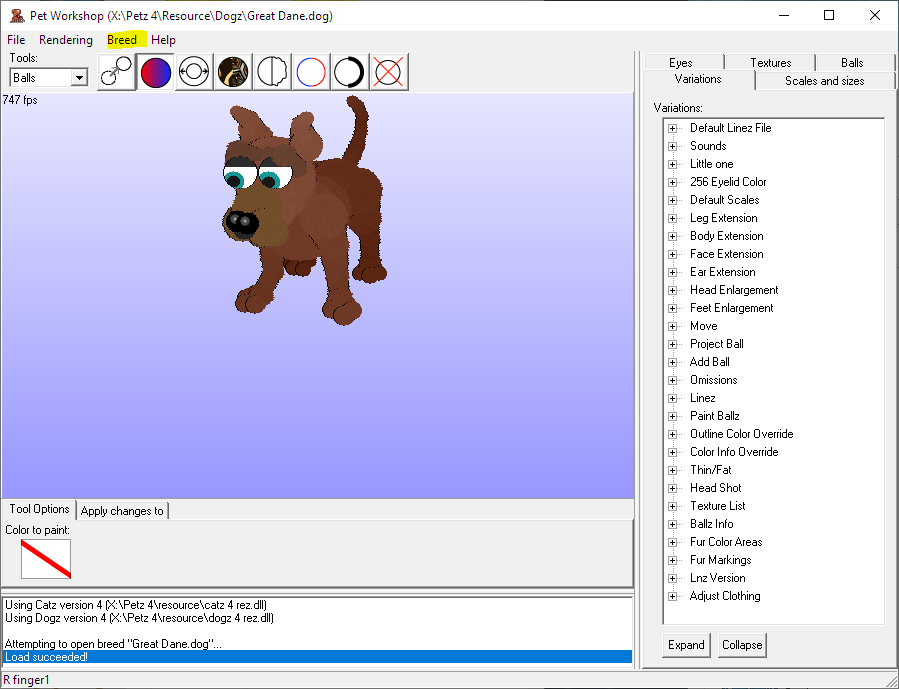
- Open Pet Workshop, and File > Open Great Dane.dog from Petz 4\Resource\Dogz.
- Keep going to File > Open Recent > Great Dane.dog until the red dane with no snout patch is displayed.
- Go to Breed > Collapse all variations, and save.
To do this with other files, you need to note what coat color is used in [Ballz Info] in LNZ Pro, pull up that variation in Pet Workshop like we did above, and collapse to that variation (the default variation). You may need to remove extra paint ballz as well, depending on the file. Always leave the paint ball paw pads intact.
In LNZ Pro

File > Open Great Dane.dog from Petz 4\Resource\Dogz.
At the top left you will see LNZ in the menu. Expand it and you will see GD and GDPUP. These are the adult linez and puppy linez respectively. We want to work in the adult linez right now. Click the GD text.
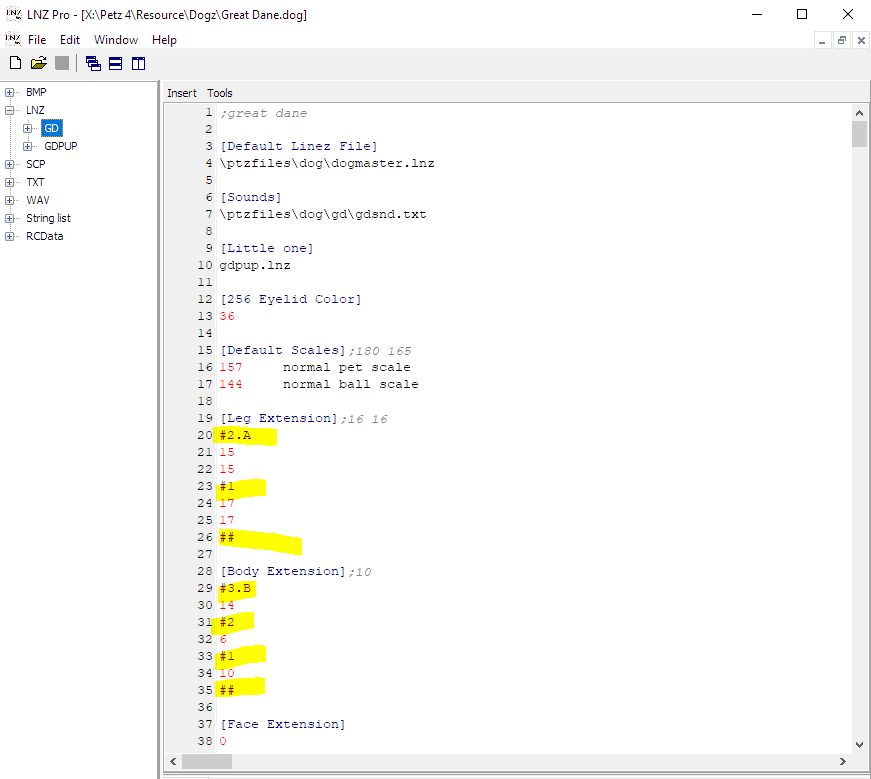
Right away we can see some examples of variations. Variations are numbered such as #1, #2.A etc. They always end with ##. For these particular sections, we need to leave the game one option so the pet is constructed correctly. Let's leave the #1 variation, and delete the others. Also delete the ## as this is no longer a list of variations.
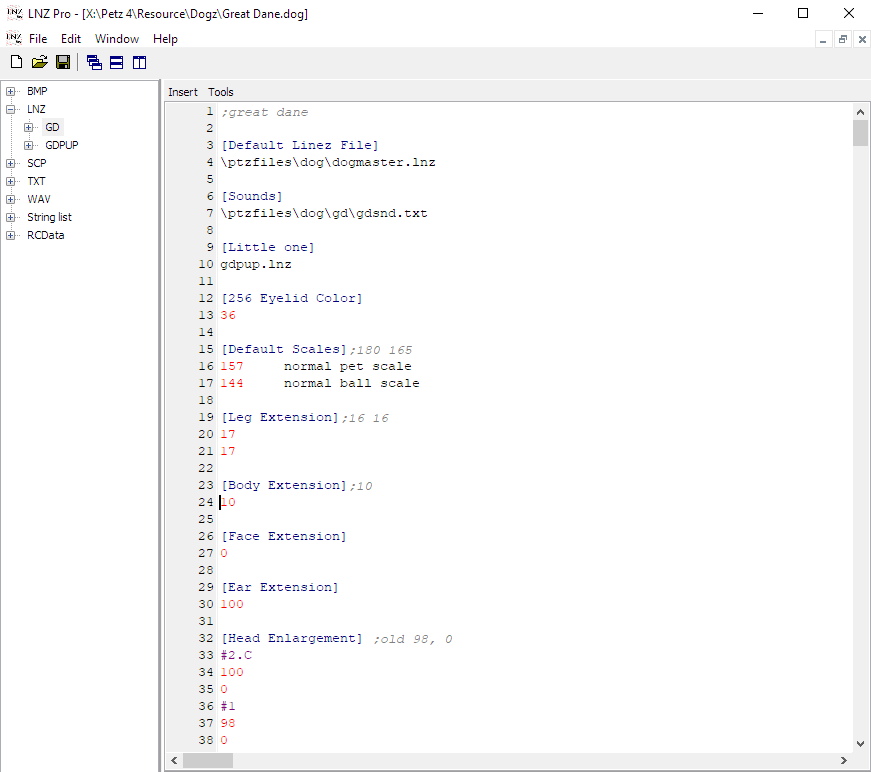
Doing this bumped up the text and we can see some more instances of variations that need removed. Use what you just learned to remove the variations from [Head Enlargement] & [Feet Enlargement]
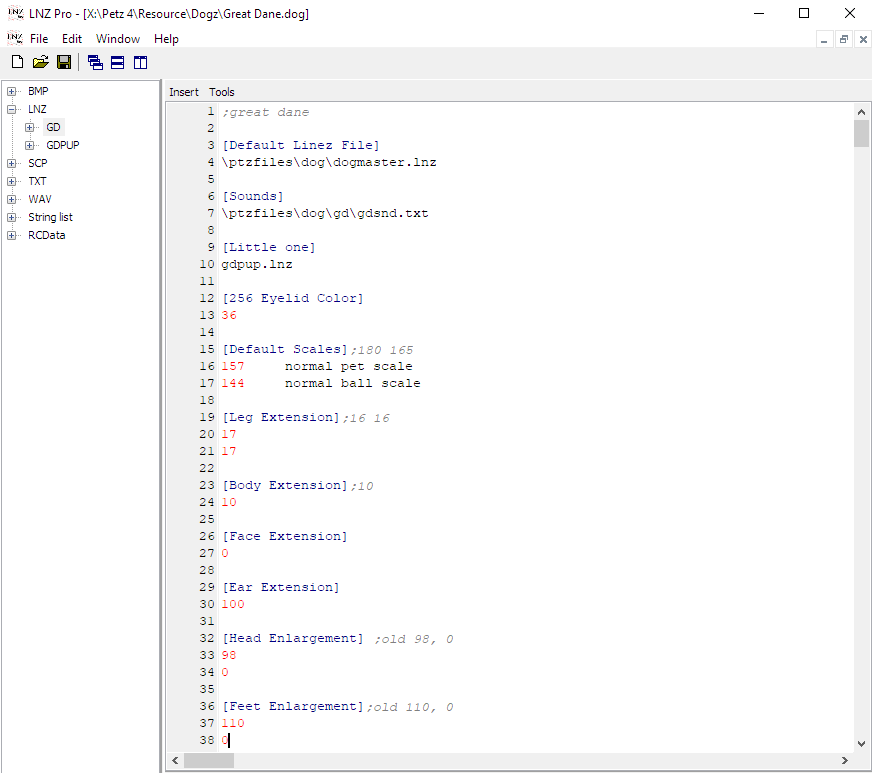
You may now understand why people offer downloads of pre-cleaned breed files to work with, and why Pet Workshop has a "collapse all variations" button hehe. I think doing this yourself at least a few times helps you understand the structure of a breed file though, which is good!
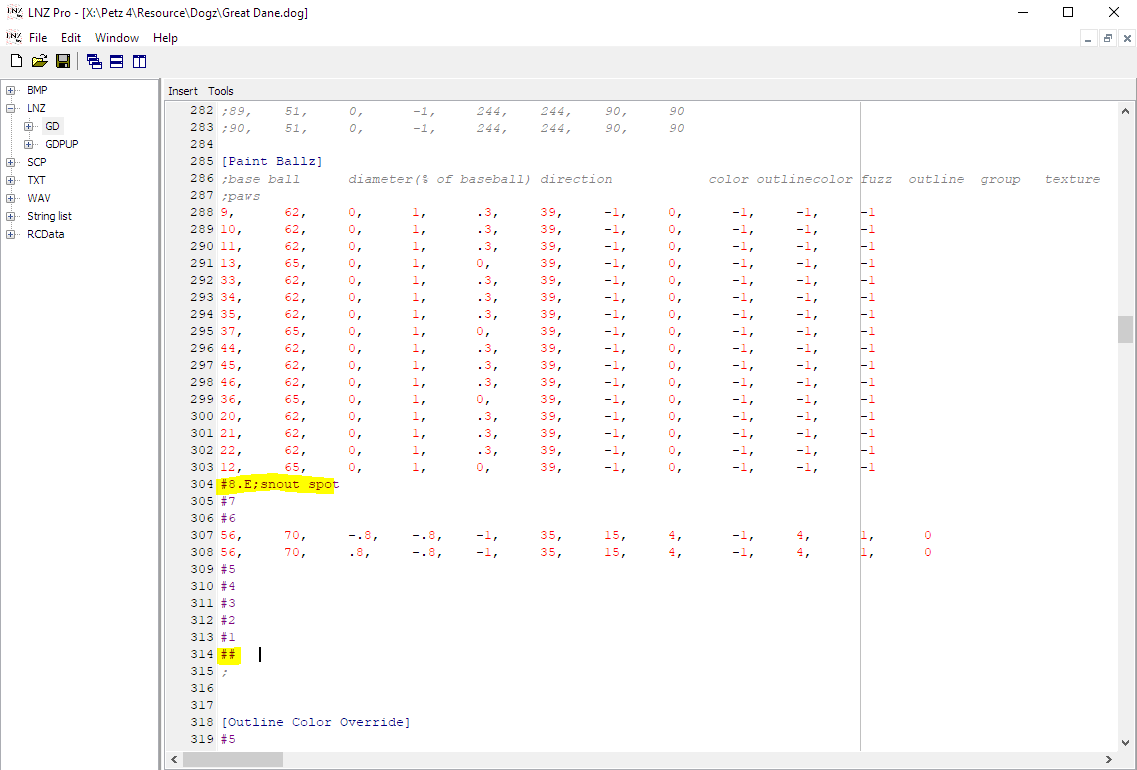
We don't see more variations until we get to [Paint Ballz]. Here, we can remove everything from #8.E;snout spot through the ##. The remaining paint ballz are paw pads, which we want to keep.
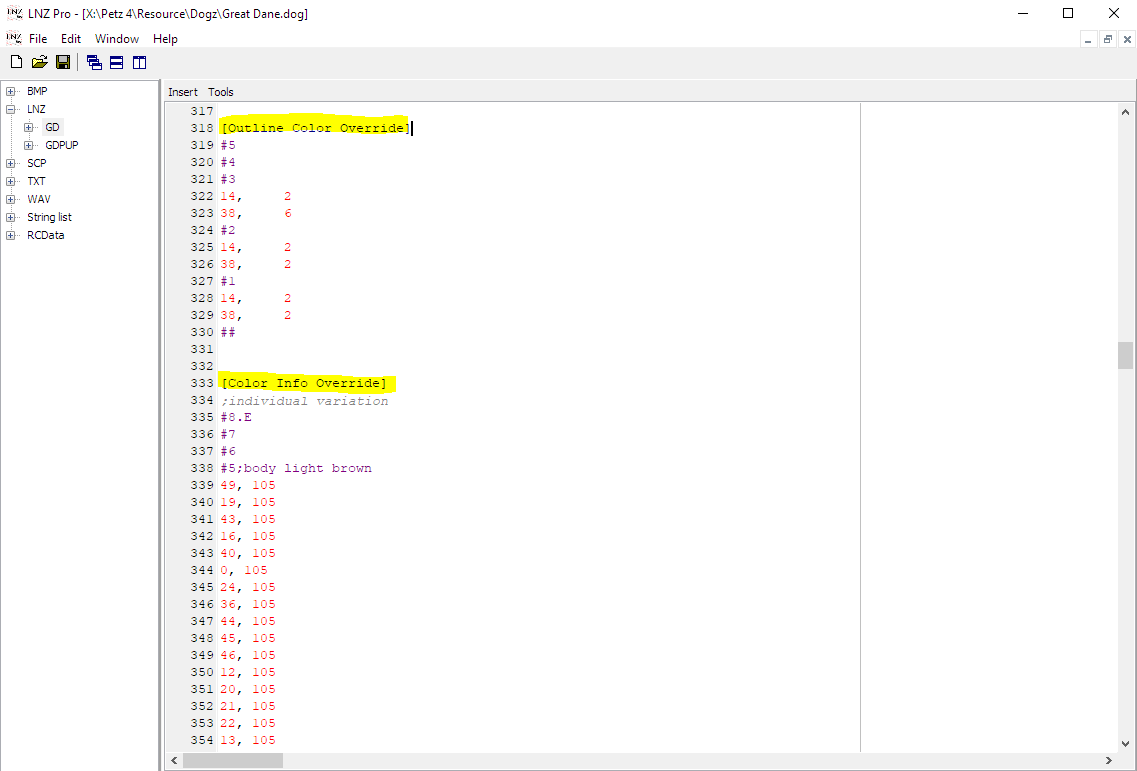
Next we see variations in [Outline Color Override] and [Color Info Override]. We can remove everything through the ##s under these headers, as we do not want to work in overrides at this time.
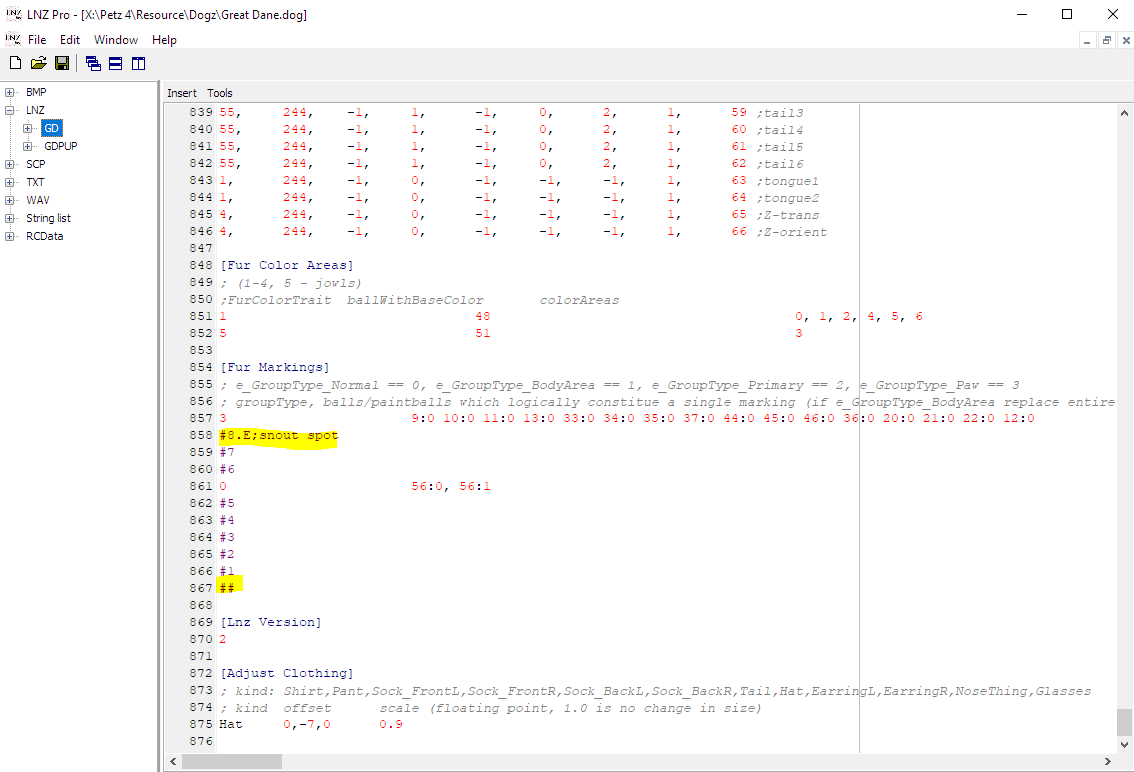
The last place we see variation in the adult linez of the Great Dane is in [Fur Markings]. Similar to the [Paint Ballz] section, we want to leave the first group (paws) alone and remove the rest. Save your file.
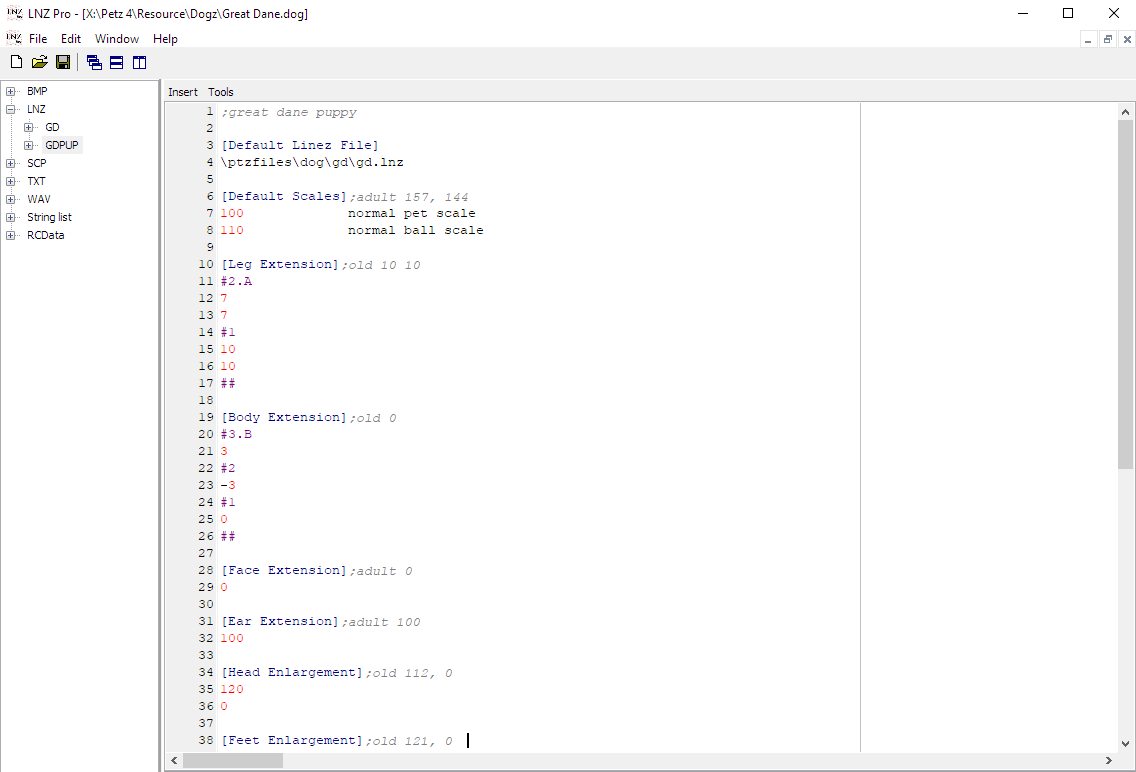
There are some variations to remove in the GDPUP linez as well. Use what you learned here to properly edit the variations in the puppy linez [Leg Extension], [Body Extension], and [Feet Enlargement].
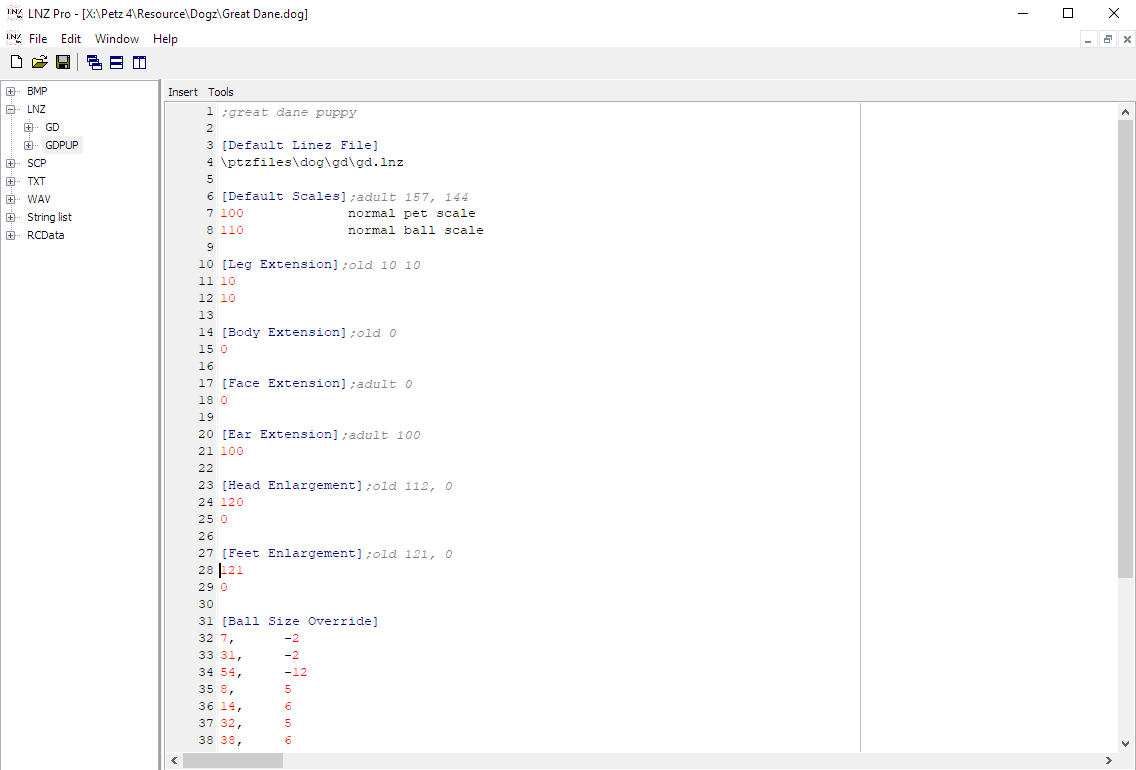
Save your file.
Log in to post a comment.
Comments
No comments yet. Be the first to say something!